
Mastering the predev Coding Agent: Your Complete Guide to Slash Commands
Master your predev coding agent with our complete guide to slash commands! Learn how to dial in AI effort, assign models per phase, integrate third-party tools, and run multi-hour builds on autopilot.
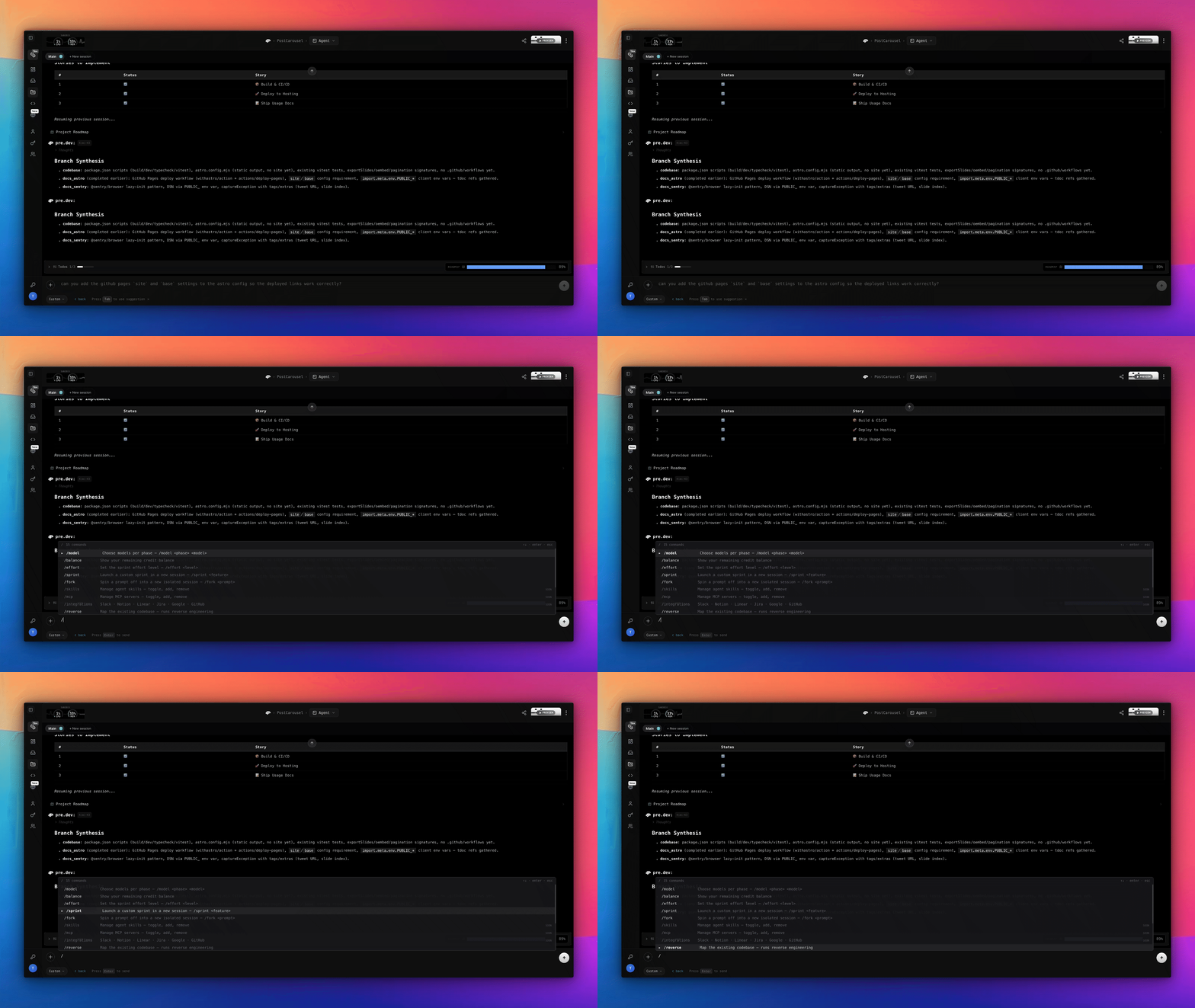
Here is a helpful overview of all the slash commands available in your predev coding agent. To start using them, simply navigate to your predev project and type a forward slash (/) in the chat interface to launch the command palette.
Whether you want to dial in your agent's effort, change your AI model, or integrate with third-party tools, these commands give you total control over your workflow.
On This Page
/model– Select AI models per workflow phase/effort– Control sprint depth and verification loops/sprint– Choose what task or feature to build next/fork– Branch off into an isolated experimental session/reverse– Map and reverse-engineer an existing codebase/skills– Define custom coding guidelines and rules/mcp– Connect and toggle Model Context Protocol servers/integration– Interact with external tools (Slack, GitHub, Notion, etc.)/kanban– Jump to and manage your project board/roadmap– Track project progress on the Gantt timeline/arch– Inspect and configure your system architecture/share– Invite team members and collaborate/balance– Monitor and upgrade your plan credits/clear– Reset your current chat view/help– Display all command documentation
AI & Model Controls
/model – Set a Model per Phase
Tailor the brainpower of your agent based on the task at hand. You can assign different models to specific phases of your workflow:
- Phases:
- Chat (interactive turns)
- Research
- Coding
- Acceptance (review/verify)
- Models:
- Kimi K3
- GLM 5.2
- MinMax M3
- Laguna S 2.1
- Claude 5 (Sonnet, Fable, Opus)
- Grok 4.5
- GPT 5.6 (Luna, Terra, Sol).
Note: We instantly update our models as they become available. With predev, you will always be able to use the latest cutting-edge models, or you can simply let the agent choose the best model for the task ahead!
/effort – Dial in Your Sprint Depth
Define the effort level for the next sprint to control how deep the agent goes. Choose between:
lowA fast, direct passmediumA task-list loophighThe full Research → Code → Verify pipeline
Pro Tip: Combine /effort and /model for Precision Control
Pair your effort level with model selection to get fine-grained control over complex tasks. For example, if you are tackling a critical vendor integration, set a High effort level to trigger deep research and verification loops, and assign a top-tier reasoning model to those phases. This guarantees your integration is researched, coded, and verified with maximum precision before shipping.
Building & Workflow
/sprint – Direct the Next Build
Tell the agent what to build next. You can point it to the next roadmap task on your integrated Kanban board, put the entire roadmap on autopilot, or describe a custom task (like a refactor). Custom tasks automatically create a new session that will later be merged back into your main branch.
/fork – Branch Out and Experiment
Just like it sounds: create a Git branch and start working in an isolated session. This is incredibly helpful for testing new ideas or seeing how certain scenarios will turn out. If the experiment fails, simply archive the fork. If it succeeds, merge it back and let the agent automatically resolve any merge conflicts for you.
/reverse – Reverse-Engineer Existing Code
If you have connected an existing codebase through the GitHub integration, you can have the Architect Agent map out your existing architecture, patterns, and best practices. It can then pick up the work right away without having to start from scratch. This makes predev perfect for upgrading or maintaining your existing apps and websites!
Customization & Integrations
/skills – Customize Agent Guidelines
Toggle specific skills, coding guidelines, or custom instructions on and off. For example, you can create a rule like: "Always use Tailwind. Never write inline styles." You can easily create new skills or remove existing ones as your project evolves.
/mcp – Manage MCP Servers
Toggle your MCP (Model Context Protocol) servers on/off or connect new ones. For example, if you use a dedicated image generation service, you can connect its MCP and add a skill telling your coding agent to only use that service for generating your hero section images or UI icons.
/integration – Connect Your Business OS
Interact with your connected external tools, such as Slack, Notion, Linear, Jira, Google, or GitHub. You can set the agent to post a message to a Slack channel when a sprint is complete, update a user manual in Notion to reflect recent app changes, or pull in GitHub issues for the agent to fix automatically.
Planning & Visibility
/kanban – Manage Your Board
Instantly jump to the integrated Kanban board view. From here, you can edit or create new user stories, inspect acceptance criteria, or reorder priorities on the fly.
/roadmap – View the Big Picture
Jump to the Roadmap/Gantt view to inspect the progress of your entire project.
Pro Tip: If you want to accelerate your progress, use multi-sessions to have the predev coding agent work on your backlog in parallel! Each session is fully Git-native, attributable, and runs in a dedicated sandbox environment.
/arch – Inspect Your Architecture Jump to the architecture view to inspect the user graph, existing boundaries, and your application's tech stack. predev is entirely stack-agnostic. If you prefer one auth vendor over another, you can define that integration at the architecture level, meaning the agent won't have to guess as the project progresses.
Utilities & Collaboration
/share – Collaborate with Your Team
Invite team members and collaborators to your predev project. You can each work in different sessions, merge your work back together, and rely on the agent to verify the code and resolve any merge conflicts.
/balance – Check Your Credits
Show your remaining included plan credits, purchase additional credits, or upgrade your subscription.
/clear – Clean Slate
Clear the current chat feed for a fresh workspace. Don't worry, the actual chat history is safely preserved and shared across sessions, even when you are working in parallel.
/help – Need Assistance? Lists all available slash commands and their interfaces. This is the perfect command if you are just getting started with predev!
Hey, have fun exploring! Let us know if you have any ideas for the next slash commands we should add.
And while you're at it, show us what you are building. We love to see what our customers are shipping with pre.dev!
Let Us Know Your Thoughts and Feature Requests
We want to hear from you! We are incredibly excited to see what you build and learn how you are using In-Line Media Generation to accelerate your projects. Join the conversation and share your feedback over on our X and LinkedIn pages.
About predev
pre.dev is built to provide professional engineering teams with hyper-intelligent and cost-efficient coding agents. These agents deliver scalable, self-verifying, and model-agnostic software development.
Professional software development requires agentic coding that deeply understands system architecture, mitigates technical debt, and respects your compute budget.